
Forecast range: how low and how high a forecast runs
The Forecast range page shows how low and how high one scenario's forecast runs: its low end, forecast and high end over the whole forecast, where this month could end, and the range day by day. For all subscriptions, it shows the range of each subscription's Baseline.
What this page is for
“Forecast range” answers one question: for one subscription and one of its scenarios, how low and how high can the forecast run, day by day, over the whole forecast and at the end of this month?
It is opened by whoever plans with the forecast: a finance lead setting a budget, or an engineering lead deciding where an alert should fire. The high end is a sensible figure for a budget or an alert; the low end shows how much of the forecast is cushion.
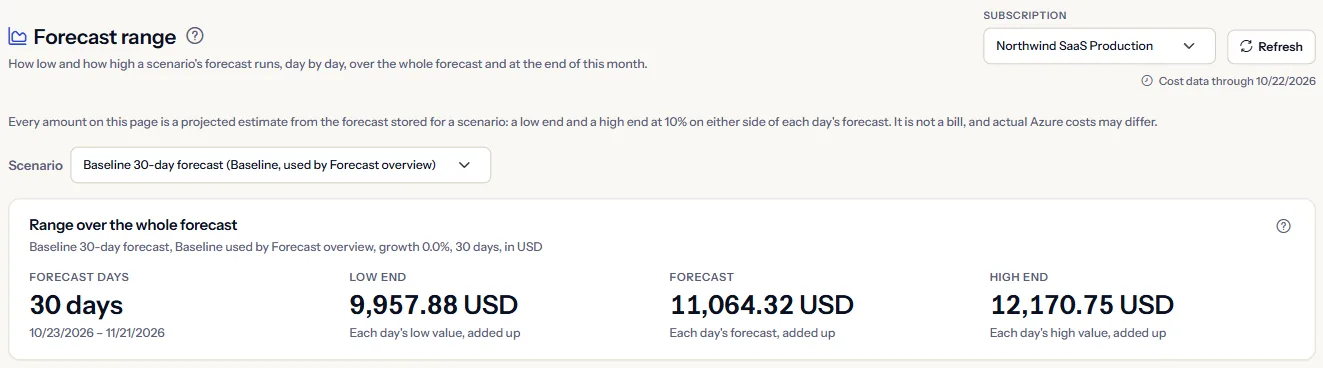
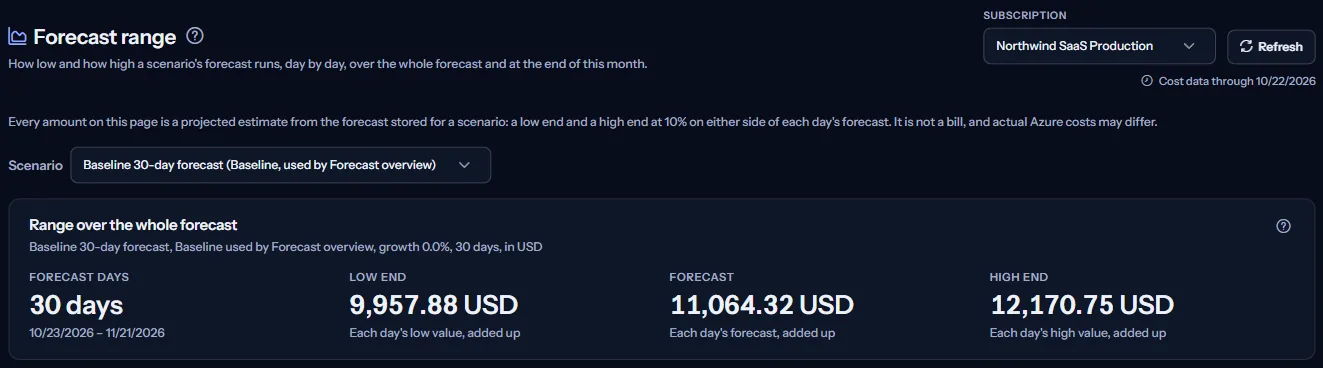
Every amount is a projected estimate from the forecast stored for a scenario, not a bill, and actual Azure costs may differ. To put scenarios of one subscription side by side, open “Scenario comparison”.
Before you start
A range needs cost imported from a connected Azure subscription and an active scenario of that subscription with a forecast. Scenarios are created and activated on “Forecast scenarios”; an active scenario is forecast within about an hour.
Read the Getting started guide
The page is part of forecasting, which the Pro and Enterprise plans include. It sits under “Forecasting” in the sidebar, which lists it in “Advanced” mode.
Choose a subscription and a scenario
“Subscription” in the scope bar chooses between “All subscriptions”, which lists the range of each subscription's Baseline, and one subscription, which shows one scenario in full. “Refresh” reads the page again.
For one subscription, “Scenario” lists its active scenarios. The Baseline that “Forecast overview” uses comes first and is marked as such; the page opens on it.
There is no currency or date choice: a range is in the currency of the scenario's forecast, and it covers the days the forecast covers. Dates are shown in UTC.
All subscriptions
With “All subscriptions”, the “Range of each subscription's Baseline” table has one row per subscription with recorded cost:
- “Baseline used”: the Baseline that “Forecast overview” uses for the subscription.
- “Forecast days”: the first and last day the Baseline forecasts.
- “Low end”, “Forecast” and “High end”: each added up over those days, in the subscription's own currency.
- “Show”: opens that subscription, where you can pick another of its scenarios.
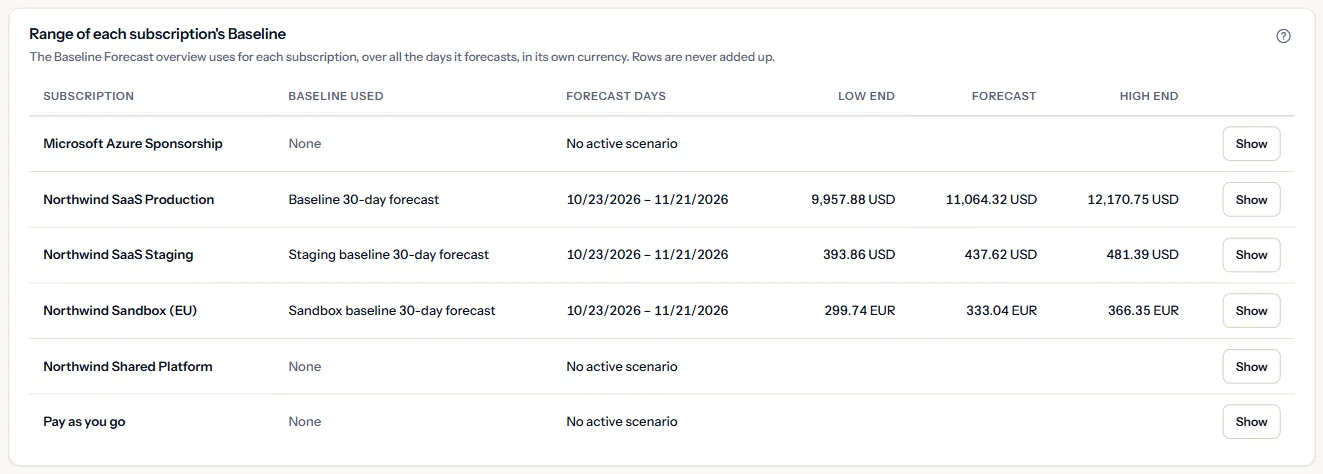
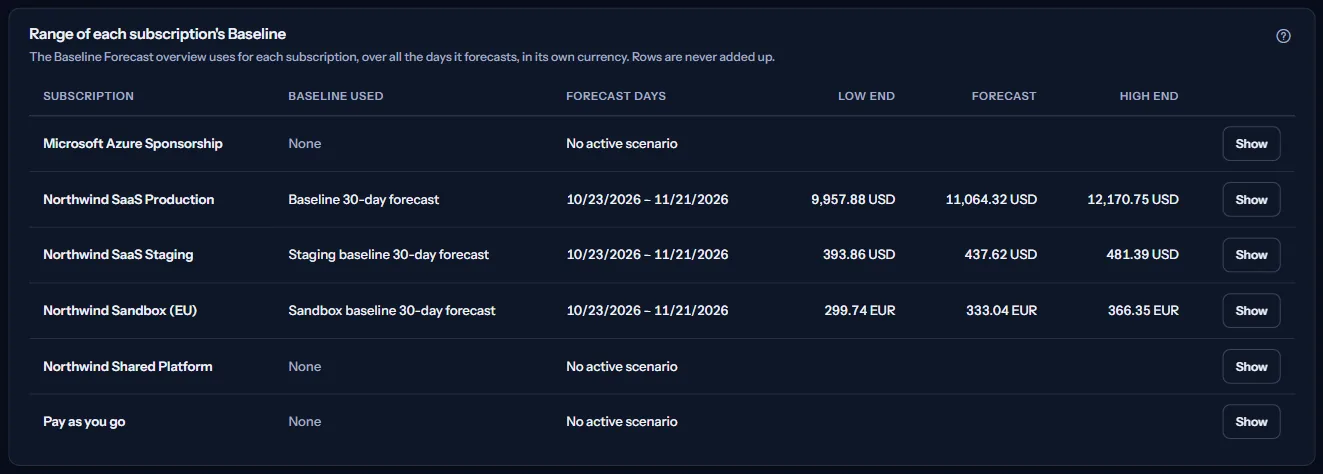
A subscription without a range says why in the row: no active scenario, no active Baseline, no forecast yet, a forecast that could not be read or that does not form a range, or a forecast in more than one currency.
Note
The page reads the forecast of at most 25 Baselines at a time; any further subscription is named as not read.
Range over the whole forecast
The “Range over the whole forecast” panel names the scenario, its type, its growth adjustment, its horizon and its currency, then adds up its forecast days:
- “Forecast days”: how many days the forecast covers.
- “Low end”: each day's low value, added up.
- “Forecast”: each day's forecast, added up.
- “High end”: each day's high value, added up.


These totals cover every day the forecast covers, which may run past the end of this month. For this month only, read the next panel.
End of this month
The “End of this month” panel says where this month could end for the subscription, in the scenario's currency:
- “Recorded so far”: the cost Azure has reported for the subscription this month, with the last day of cost data.
- “Month end, low end” and “Month end, high end”: the recorded cost plus the low or high values of the remaining days.
- “Month end, forecast”: the recorded cost plus the forecast of the remaining days.


This is the rule “Forecast overview” uses. The month end is stated only when the scenario's forecast covers every day of the month after the latest recorded day; otherwise the panel says so, and the range over the whole forecast is still shown.
Limits to know
Azure reports cost a day or two late, so the last recorded day is usually yesterday or the day before, and the remaining days include them.
Range day by day
The “Range day by day” chart draws the forecast as a line and the range as a shaded band around it, one point per forecast day. Hover over a day to read its low end, forecast and high end.
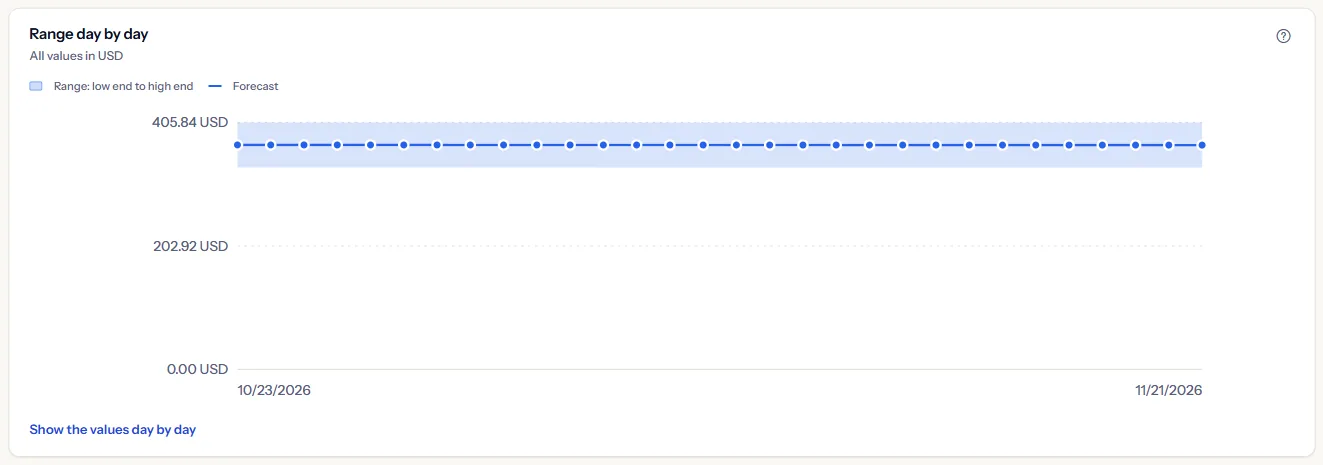
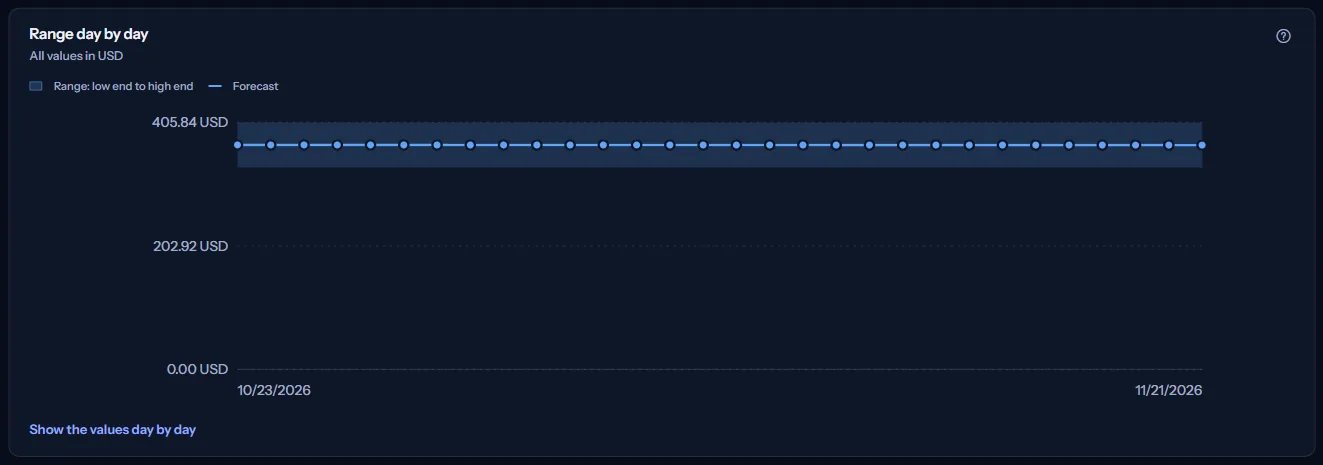
“Show the values day by day” opens a table with the same values, one row per day, for reading without the chart and for screen readers. All values are in the scenario's currency.
How the range is made
The “How the range is made” panel says in short what the range is and is not:
- For every day, the forecast method stores a forecast and a low and a high value 10% below and above it. The range therefore widens and narrows with the forecast itself.
- The range is a fixed width, not a measure of how likely a cost is: an actual cost can fall outside it.
- A scenario's growth adjustment and horizon change its forecast and its range with it; its type is only a name and does not change the method.
- A range is in one currency. Amounts of different currencies are never added or converted, and a forecast in more than one currency shows no range.
- Only active scenarios are forecast, about once an hour, or at once with “Generate now” on “Forecast scenarios”. A forecast starts on the day after the latest recorded day.
Note
Every figure is an estimate to plan with, such as a budget or an alert at the high end, not a bill.
Go further
The links at the bottom of the page lead on:
- “Forecast overview”: the month end of each subscription's Baseline.
- “Forecast scenarios”: create, activate and forecast scenarios.
- “Scenario comparison”: a subscription's scenarios beside its Baseline.
- “Risk indicators”: this month graded against the workspace's monthly budget.
- “Budgets”: set a budget, for example at the high end.
What you may see instead of figures
Instead of a range, the page may show:
- A loading indicator while the page reads, then “The forecast range could not be loaded” with “Try again” if the reading fails.
- A notice that your sign-in has expired, with a link to sign in again.
- “No recorded cost yet”, with “Open Getting started”.
- “No active forecast scenario”, with “Open Forecast scenarios”.
- A note above the figures when part of the page could not be read: the subscription names, or the forecast of some Baselines. What was read is still shown.
A failed read is never shown as a narrow range or a zero cost.
For one subscription or scenario
When one subscription is chosen, its panel may say instead:
- “No active scenario for this subscription”: create a Baseline for it on “Forecast scenarios”.
- “No forecast for this scenario yet”: the scenario is active but has not been forecast yet. This is not a zero cost.
- “This forecast does not form a range”: a stored day's low, forecast and high values contradict each other. Generate the forecast again.
- “This forecast is in more than one currency”: amounts of different currencies are never added, so no range is shown.
- “The forecast of this scenario could not be read”, with “Try again”.
Sample data when your plan has no forecasting
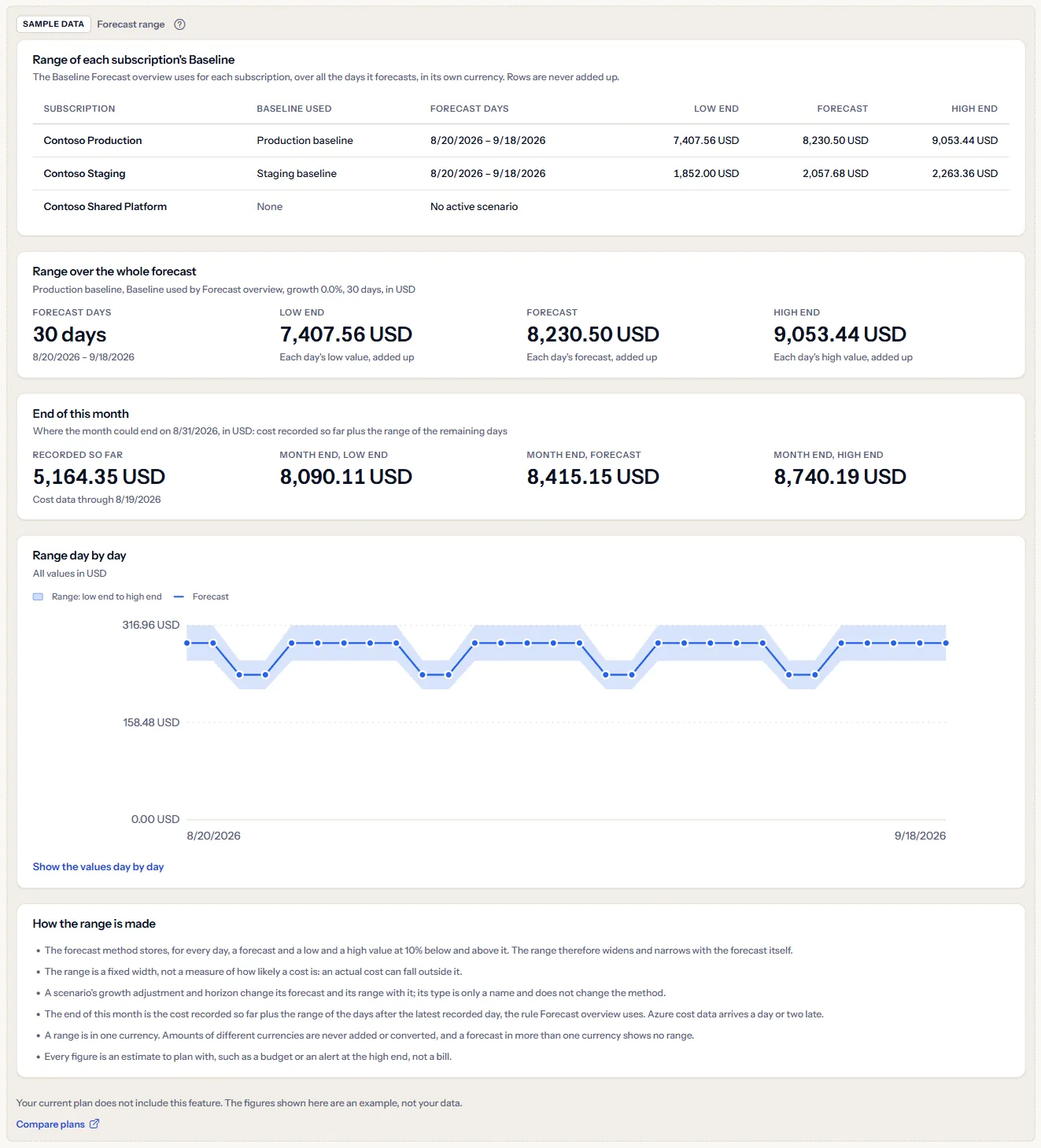
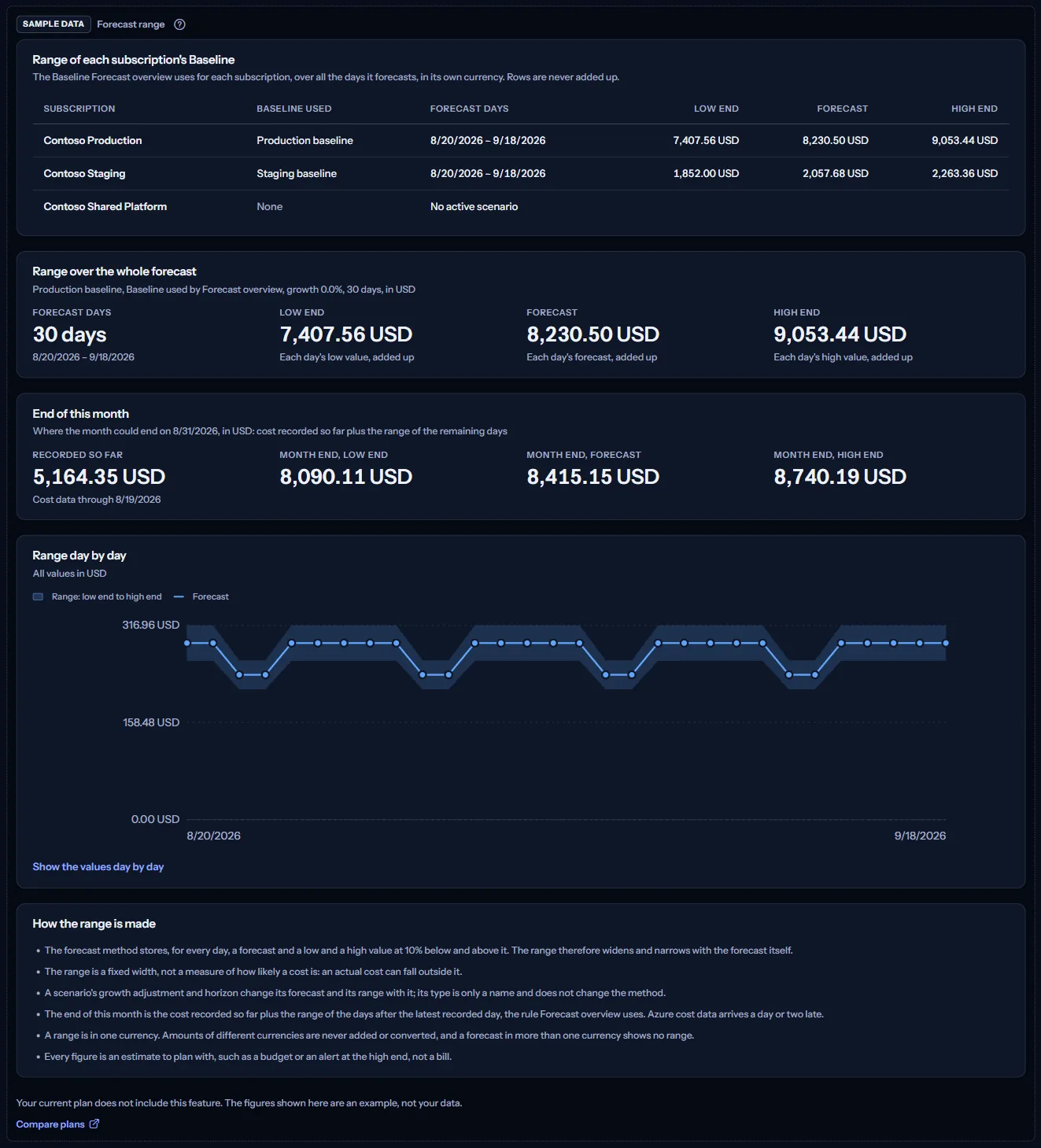
When your plan does not include forecasting, the page shows a fixed example under the label “Sample data”, with the sentence “Your current plan does not include this feature. The figures shown here are an example, not your data.”
The sample shows three Contoso subscriptions with the range of their Baselines, then the range of Contoso Production in full: over the whole forecast, at the end of this month and day by day, with the notes. It has no scope bar and no action, and it is the same for everyone, never your data.
“Compare plans” opens the pricing page in a new tab. CostGuard decides what your plan includes on the server; the sample is only how the page shows it.
What each plan includes
The table shows the first plan that includes each part of the page. Every plan above it includes it too.
| Feature | Free | Starter | Growth | Pro | Enterprise |
|---|---|---|---|---|---|
| A labelled sample of the page | Included | Included | Included | Included | Included |
| The range of your own scenarios and forecasts | Not included | Not included | Not included | Included | Included |
Pro and Enterprise include the range of your own scenarios; Free, Starter and Growth show the labelled sample. The plan is checked on the server, the forecasting run forecasts only workspaces whose plan includes forecasting, and the page never shows a price.
Troubleshooting
A scenario is missing from the list
The list holds the active scenarios of the chosen subscription only. Activate the scenario on “Forecast scenarios”, or choose the subscription it belongs to.
The band is always the same share of the forecast
That is how the method works: each day's low and high values are 10% below and above its forecast. The band is wider on a busier day only because the forecast is larger.
There is no end of this month for a scenario
Its forecast does not cover every remaining day of the month: a short horizon, such as seven days, stops early, and a forecast made some days ago may start later than the day after the latest recorded day. Generate it again with “Generate now”, or lengthen its horizon.
A subscription shows its range in euros
A range is in the currency the subscription is billed in, and CostGuard never converts amounts between currencies. In the All view, rows in different currencies stand side by side and are never added up.
The figures differ from “Forecast overview”
“Forecast overview” shows the month end of the Baseline it uses. Here, the range over the whole forecast covers every forecast day, past the end of the month too, and the month end belongs to the scenario you picked. For the Baseline marked as used by “Forecast overview”, the month end matches.
The page is not in the sidebar
The sidebar lists it in “Advanced” mode only. Choose “Advanced” at the top of the sidebar; the page's address opens in either mode.