
Recommendation feedback: answers and suppression rules
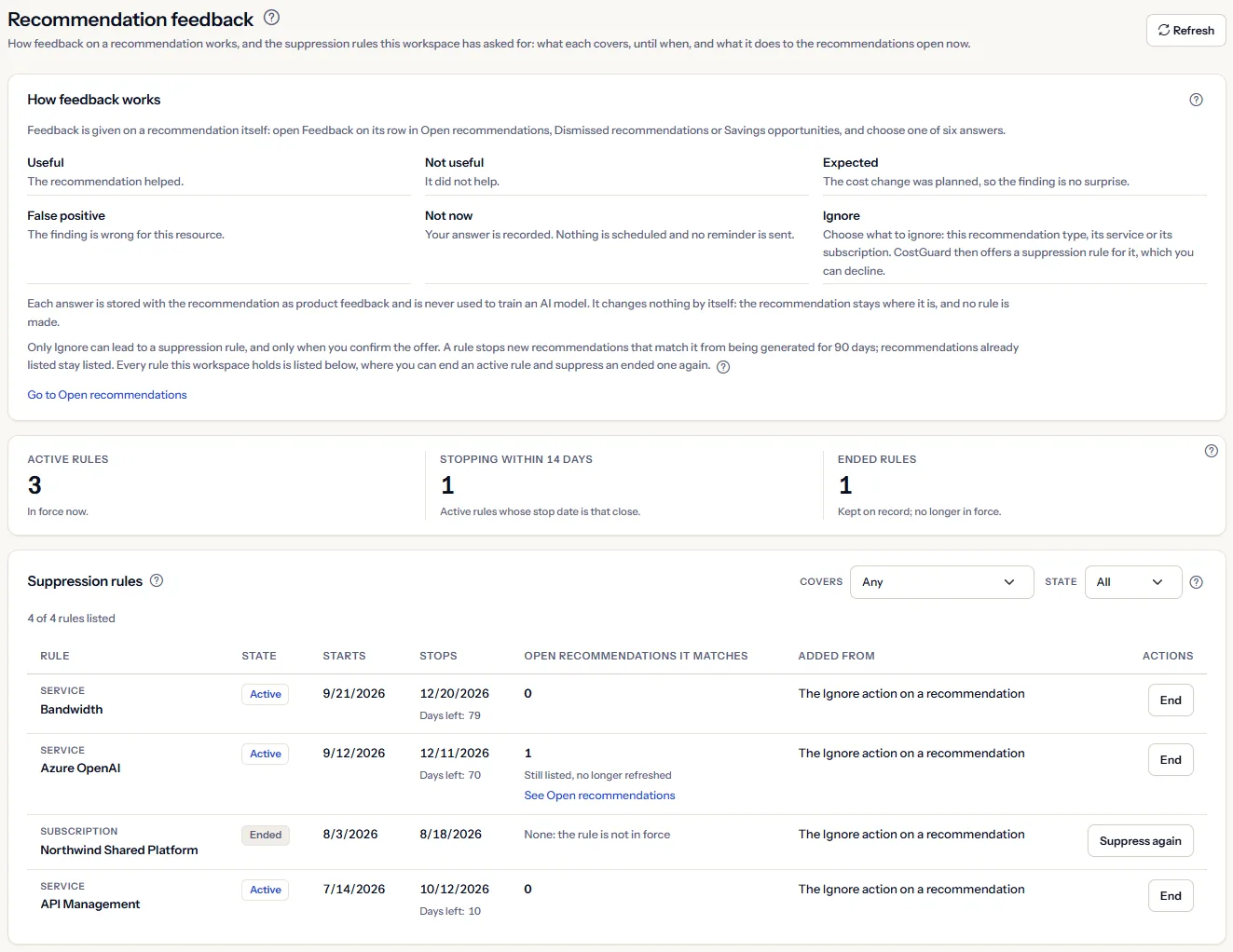
The Recommendation feedback page explains the six answers you can give on a recommendation, and lists every suppression rule your workspace holds: what each covers, when it starts and stops, how many open recommendations it matches and where it came from. You can end an active rule, or suppress an ended one again for 90 days.
What this page is for
The Recommendation feedback page answers two questions. How do you tell CostGuard what you think of a recommendation? And which patterns has this workspace asked CostGuard to stop raising - which kind of check, service or subscription, since when and until when - and what does each rule do to the recommendations open now?
It is for the FinOps practitioner or engineering lead who runs the recommendation practice. It leads to one decision per rule: end it because the pattern matters again, let it run until its stop date, or suppress it again once it has ended. CostGuard only reads your Azure data: nothing on this page changes anything in Azure.
To open it, choose “Advanced” in the sidebar, then select “Recommendation feedback” under “Recommendations”. In “Simple” mode the entry is hidden, but the page still opens from the “Recommendation feedback” link at the bottom of the other recommendation pages, and from “Manage suppression rules” on a recommendation once a suppression is set up.
Before you start
Feedback and suppression rules are about recommendations, and recommendations are raised from the Azure cost CostGuard imports. Until a connection has imported cost and a check has raised something, there is nothing to give feedback on.
Read the Getting started guide
Recommendations are part of the Growth, Pro and Enterprise plans. On Free and Starter, CostGuard raises none, and the page shows a labelled sample instead of your rules.
In the application, a suppression rule exists only once someone has chosen “Ignore” on a recommendation and confirmed the offer that follows. Until then, the page explains how feedback works and says “No suppression rules”.
How feedback works
Feedback is given on a recommendation itself, not on this page. On “Open recommendations”, “Dismissed recommendations” and “Savings opportunities”, “Feedback” on a row opens “Was this helpful?” under it. The “How feedback works” panel at the top of this page describes the same six answers:
- “Useful” or “Not useful”: whether the signal helped you.
- “Expected”: the change was planned, for example a launch or a migration.
- “False positive”: the check read the cost wrongly for your case.
- “Not now”: you are not ready to judge it yet. The answer is recorded; no reminder is sent.
- “Ignore”: asks “Ignore recommendations for” - “This recommendation type”, “This service” or “This subscription” - records your choice and offers a suppression rule, described in the next section.


Each answer is stored with that recommendation as product feedback. It changes nothing by itself: the recommendation keeps its status and stays where it is listed, and no rule is made. The workspace's answers are not shown back on any page, so this page counts none of them.
“Go to Open recommendations” at the bottom of the panel leads to the work queue, where most feedback is given.
Ignore, and the offer to suppress
“Ignore” is the only answer that can lead to a suppression rule, and only when you confirm it. To use it:
- Select “Feedback” on the row, then “Ignore”.
- Choose what to ignore: “This recommendation type”, “This service” or “This subscription”. Your answer is recorded.
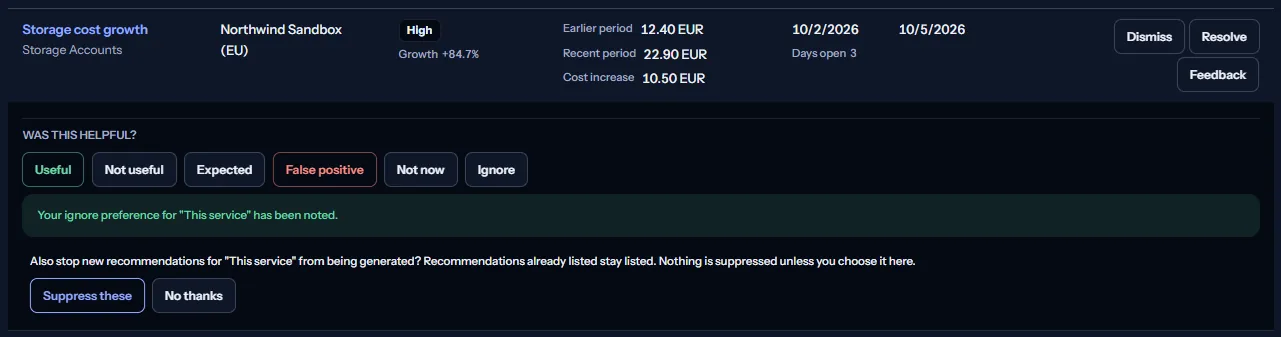
- Read the offer under the row, then choose “Suppress these” to create the rule, or “No thanks” to keep only the answer.
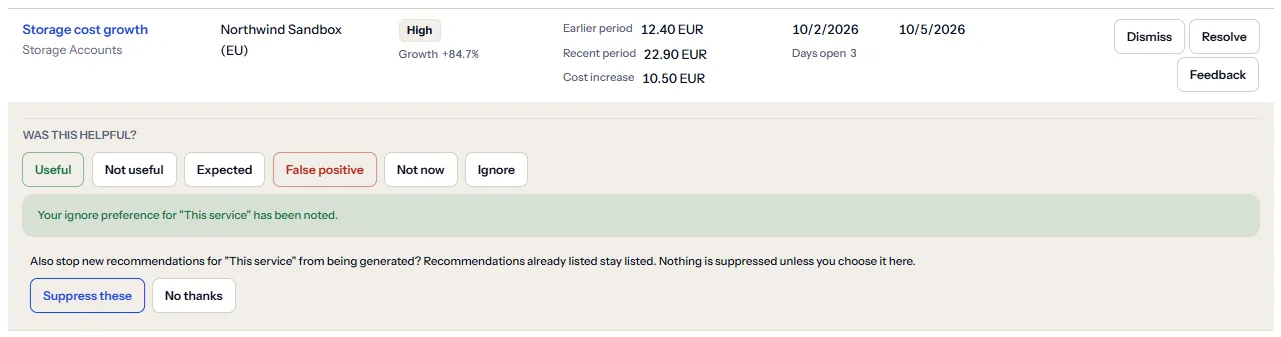
A confirmed rule lasts 90 days from that moment. The row then says until which date new recommendations are suppressed, with “Manage suppression rules”, which opens this page. If an active rule already covers that scope, the row says until when, and nothing changes: an active rule is never extended.
The row never offers a resource group: a rule made there covers a recommendation type, a service or a subscription.
Note
A rule covers a pattern, not one recommendation. A rule on a service covers that service in every subscription of the workspace.
What a rule does, and what it does not
While a rule is active, CostGuard's checks still run, but a finding the rule covers is set aside before it is stored:
- No new recommendation is raised for it.
- An open recommendation it covers is no longer refreshed: its figures and its last detection stay as they were. After 7 days without a refresh, it is marked “Not detected in the last 7 days”.
- Nothing already listed is hidden, dismissed or resolved. An open recommendation stays open until someone dismisses or resolves it, and a closed one stays as it was.
A rule on a recommendation type or a service applies to every subscription of the workspace; a rule on a subscription applies to every check and every service in it.
Dismissing a recommendation is different: a dismissal does not stop the checks, so the same finding can be raised again as a new open recommendation. A suppression rule does stop it, until the rule ends.
Limits to know
A rule only changes what CostGuard raises. It changes nothing in Azure, and a recommendation that is no longer refreshed does not mean the cost went down.
The figures
Above the table, three figures count every rule the workspace holds, read in full each time the page loads; the filters never change them:
- “Active rules”: in force now.
- “Stopping within 14 days”: active rules whose stop date is 14 days away or less.
- “Ended rules”: kept on record, no longer in force.


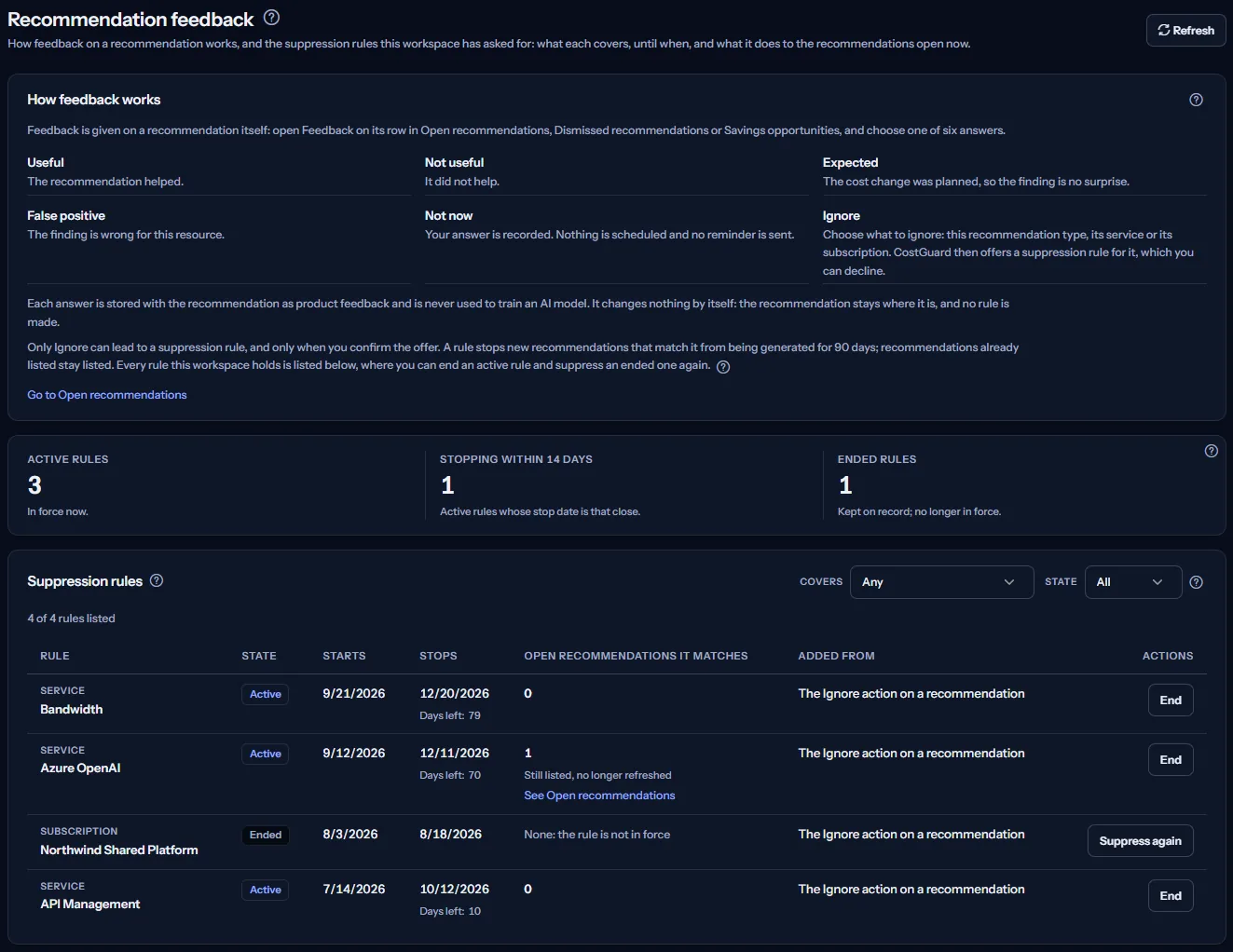
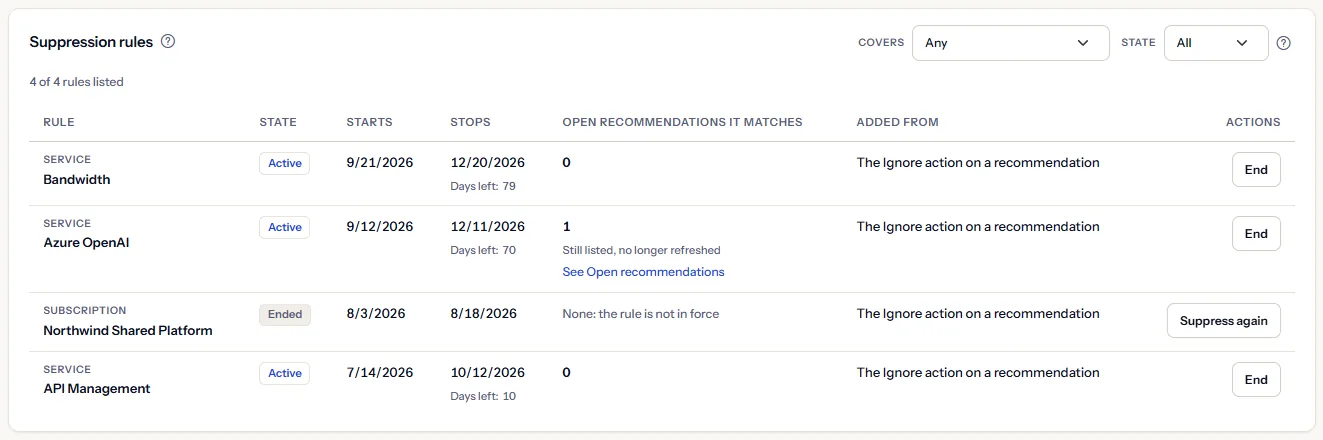
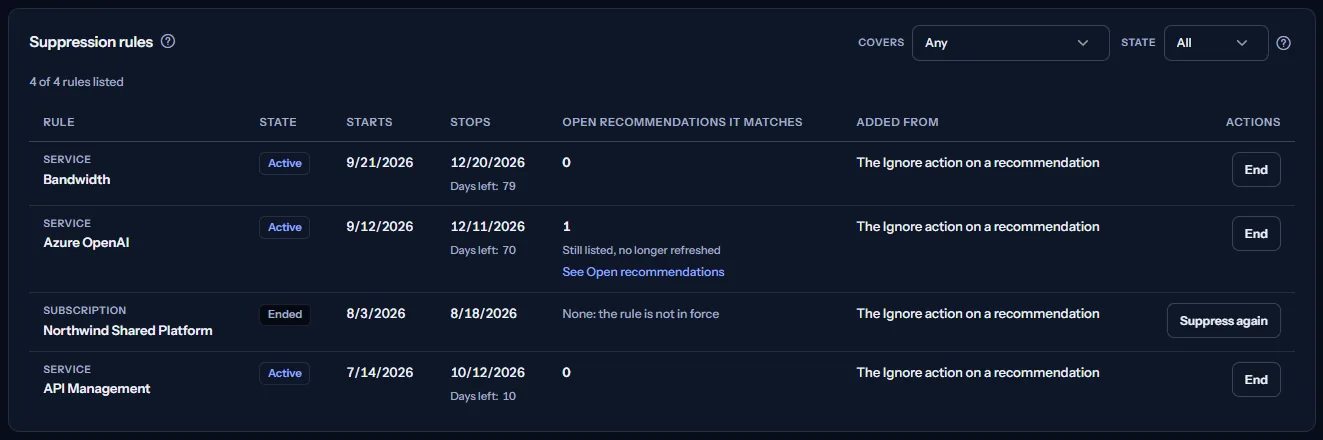
The days are counted between UTC calendar dates. For example, a workspace with active rules on the Azure OpenAI, Bandwidth and API Management services and one ended rule on a subscription shows three active rules, one of them stopping within 14 days, and one ended rule.
A stop date close by is the moment to decide: let the rule end, or suppress it again once it has ended. An active rule cannot be extended.
Filter the rules
Two lists beside the heading of the rules table narrow the list at once, without reading the rules again:
- “Covers”: “Any”, or one of “Recommendation type”, “Service”, “Subscription” and “Resource group”.
- “State”: “All”, which the page opens with, “Active” or “Ended”.
The line under the heading says how many rules the filters keep, such as “3 of 4 rules listed”. When none matches, the table gives way to “No rule matches these filters.” The figures keep counting every rule.
The suppression rules table
“Suppression rules” lists every rule the workspace holds, the most recently created first. Each row has these columns:
- “Rule”: what the rule covers, and its value: a recommendation type by its name, such as “Storage cost growth”, a service by its name, such as “Bandwidth”, or a subscription by its name. A subscription CostGuard has no name for reads “Subscription” followed by the end of its identifier; the page never shows a full subscription identifier.
- “State”: “Active” or “Ended”.
- “Starts”: the date the rule's current 90 days began. After a rule is suppressed again, it is the date of that restart.
- “Stops”: the date the rule stops or stopped, with the days left for an active rule, such as “Days left: 70”, or “Stops today”.
- “Open recommendations it matches”: explained in the next section.
- “Added from”: “The Ignore action on a recommendation”, or “Not recorded” when the rule's origin is not stored.
- “Actions”: “End” on an active rule, “Suppress again” on an ended one, or “Already ended” when an ended rule cannot be suppressed again from this page.
Note
The dates are calendar dates in UTC, so near midnight they can differ by one day from your local date.
Open recommendations a rule matches
For each active rule, “Open recommendations it matches” counts the open recommendations of the workspace the rule covers, read when the page loads and matched the way the checks apply the rule. When the count is above zero, the cell adds “Still listed, no longer refreshed” and “See Open recommendations”.
For example, a rule on the Azure OpenAI service matches the one open Azure OpenAI recommendation, which has not been refreshed since the rule began. A count of zero means the rule covers no open recommendation now; it still stops new ones.
An ended rule reads “None: the rule is not in force”. When the open recommendations could not be read, an active rule reads “Could not be read”, and a note above the figures says so.
Tip
The count helps you decide whether to keep a rule: end it if you want the recommendations it covers to be refreshed again.
How long a rule lasts, and ending it
A rule lasts 90 days from its start, and no rule lasts without an end. When its stop date comes, it ends by itself and stays listed as “Ended”.
To end an active rule earlier:
- Select “End” on its row.
- Read “End this rule now? Matching recommendations can be generated again.”, then choose “End rule”, or “Cancel” to keep it.


Ending sets the rule's stop to now and keeps it on record. The page says “The rule has ended. Matching recommendations can be generated again.” and reads the rules again. From the next analysis, the checks can raise or refresh what the rule covered; nothing comes back on the other pages at once.
If the end fails, the page says “We couldn't end that rule right now. Please try again later.” and reads the rules again, so the table shows each rule's state.
Suppress an ended rule again
“Suppress again” on an ended rule starts a new 90 days on the same rule, from today. It asks first: “Suppress again for 90 days from today?”, with “Suppress for 90 days” and “Cancel”.
The rule keeps its row and its place in the list: its “Starts” date moves to today and its “Stops” date to 90 days later. The page says “The rule is in force again for 90 days. Recommendations already listed stay listed.” If the rule was already in force again, for example because someone suppressed the same scope from a recommendation in the meantime, the page says “That rule was already in force, so nothing changed.”
An active rule cannot be extended: let it end, then suppress it again. “Suppress again” is offered for a rule on a recommendation type, a service or a subscription; any other ended rule reads “Already ended”.
Rules on a resource group
The feedback row never offers a resource group, but a rule on one can be created through the API. Such a rule matches nothing: the checks record no resource group for a recommendation, so its count stays zero and its cell reads “A resource-group rule matches nothing”.
The “Covers” filter still offers “Resource group”, so you can find such a rule and end it.
Go further
The links at the bottom of the page lead on:
- “Open recommendations”: the work queue, where you give feedback on each open recommendation.
- “All recommendations”: every recommendation in every status, the decided ones included, where a closed one can be reopened.
- “Dismissed recommendations”: the record of the dismissed recommendations, where a dismissal can be reopened.
- “Savings opportunities”: the open growth recommendations that carry a cost increase, ranked within each currency.
- “Recommendation insights”: how the recommendations of the workspace break down.
What you may see instead of the rules
While the page reads, grey blocks stand where the figures and the table will appear; the “How feedback works” panel stays in place. After that, the page may show one of these instead of the rules:
- “No suppression rules”, with “Go to Open recommendations”: the workspace holds no rule. In the application, a rule is made only when you choose “Ignore” on a recommendation and confirm the offer.
- “Suppression rules could not be loaded”, with “Retry”: the rules could not be read. The page then shows no figure and no table, because a failed read does not mean there are none.
- A note that the open recommendations could not be read: the rules are listed, and each active rule reads “Could not be read” in place of its count. “Refresh” tries again.
- A note that subscription names could not be read: a rule on a subscription then names it by the end of its identifier. “Refresh” tries again.
- A notice that your session has expired, with a link to sign in again.
Sample data when your plan has no recommendations
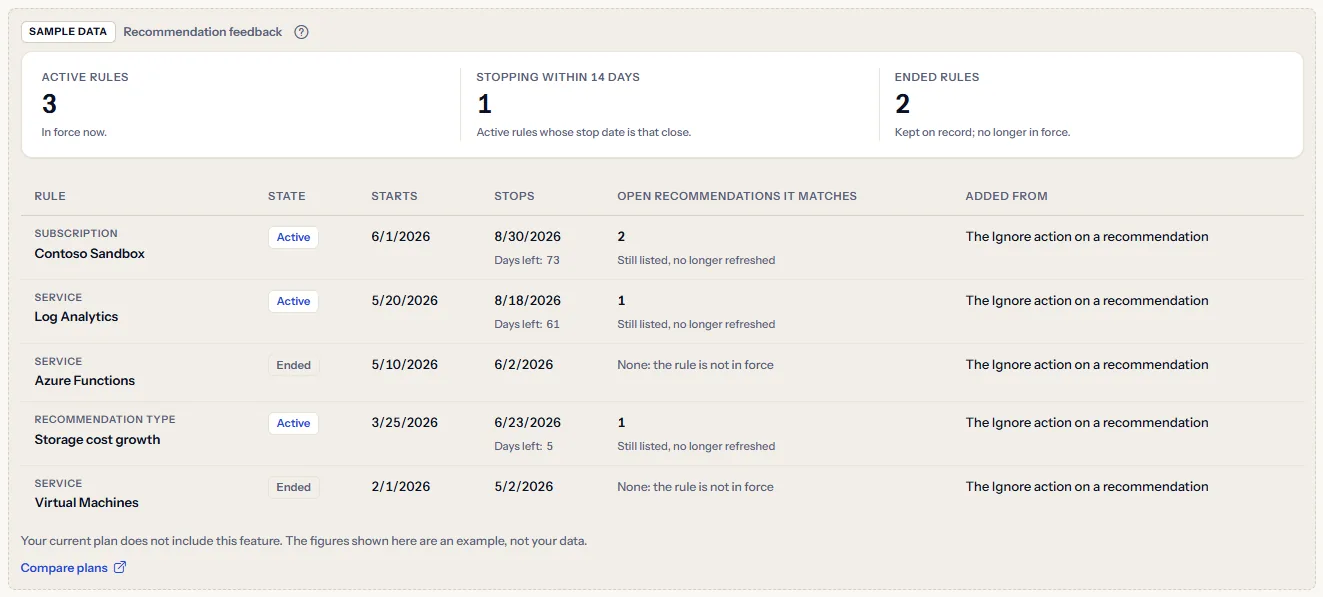
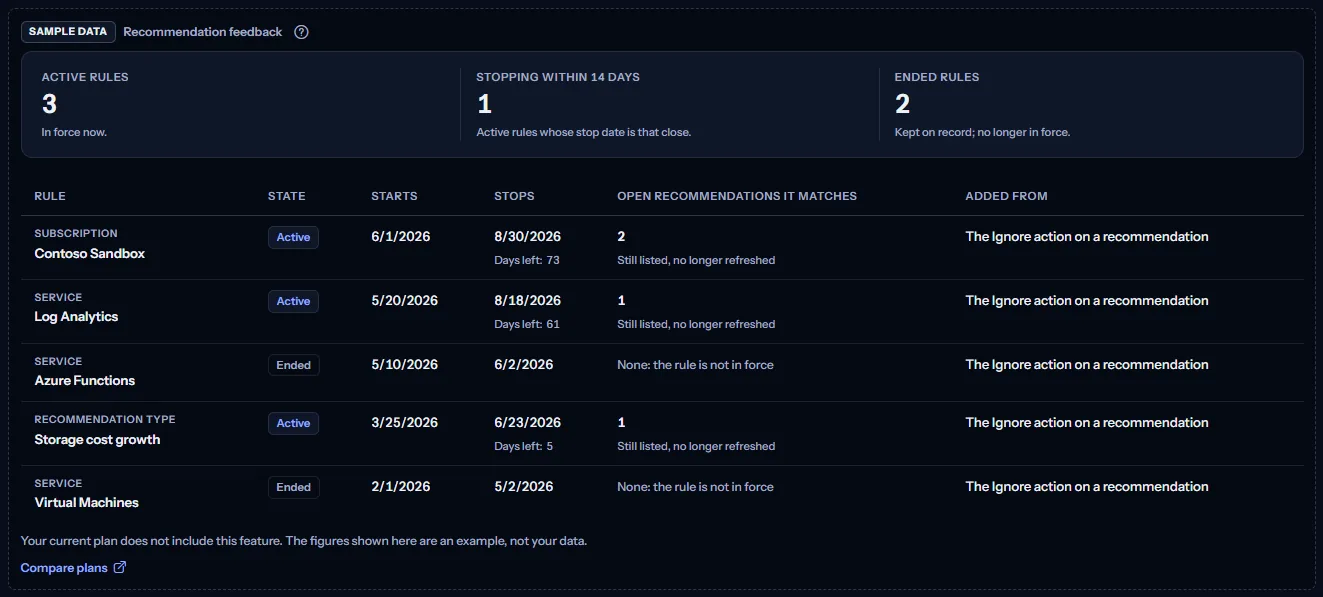
When your plan does not include recommendations, the page shows a fixed example under the label “Sample data”, with the sentence “Your current plan does not include this feature. The figures shown here are an example, not your data.”
The sample shows five rules read on 18 June 2026: three active, one of which stops within 14 days, and two ended, with the open recommendations each active rule matches. The rules are the same for everyone and never your data, and the sample offers no filter, no action and no link other than “Compare plans”; the “How feedback works” panel is not shown with it.
“Compare plans” opens the pricing page in a new tab. CostGuard decides what your plan includes on the server; the sample is only how the page shows it.
What each plan includes
The table shows the first plan that includes each part of the page. Every plan above it includes it too.
| Feature | Free | Starter | Growth | Pro | Enterprise |
|---|---|---|---|---|---|
| A labelled sample of the page | Included | Included | Included | Included | Included |
| How feedback works and your workspace's suppression rules, with end and suppress again | Not included | Not included | Included | Included | Included |
Growth, Pro and Enterprise include recommendations, the feedback on them and suppression rules. Free and Starter show the labelled sample, and no recommendation is raised for them. The plan is checked on the server, and the page never shows a price.
Troubleshooting
A recommendation is still listed after I chose Ignore
An answer changes nothing by itself, and a suppression rule never hides, dismisses or resolves a listed recommendation. Dismiss or resolve it on the page that lists it; the rule stops new ones from being raised.
An open recommendation is no longer refreshed
An active rule may cover it: look at “Open recommendations it matches”. After 7 days without a refresh, it is marked “Not detected in the last 7 days”. End the rule if you want it refreshed again.
I ended a rule, but nothing came back
Ending a rule lets the checks raise or refresh what it covered from their next analysis, and only while the pattern is still in your cost. Azure also reports cost a day or two late.
I cannot extend a rule
An active rule cannot be extended, from this page or from a recommendation. Let it end, then use “Suppress again”, which starts a new 90 days.
The page is missing from the sidebar
The “Recommendation feedback” entry is shown in “Advanced” mode only. Choose that mode in the sidebar, or open the page from the “Recommendation feedback” link at the bottom of the other recommendation pages.
The page shows sample data
Your plan does not include recommendations. The table above shows which plan does, and the link under it opens the pricing page.