
Dismissed recommendations: the record of your dismissals
The Dismissed recommendations page is the record of what your workspace decided not to act on, for all subscriptions or one. It shows when each recommendation was dismissed, what its evidence said at its last detection and whether CostGuard is finding the same pattern again, and lets you reopen a dismissal or stop a known pattern from coming back.
What this page is for
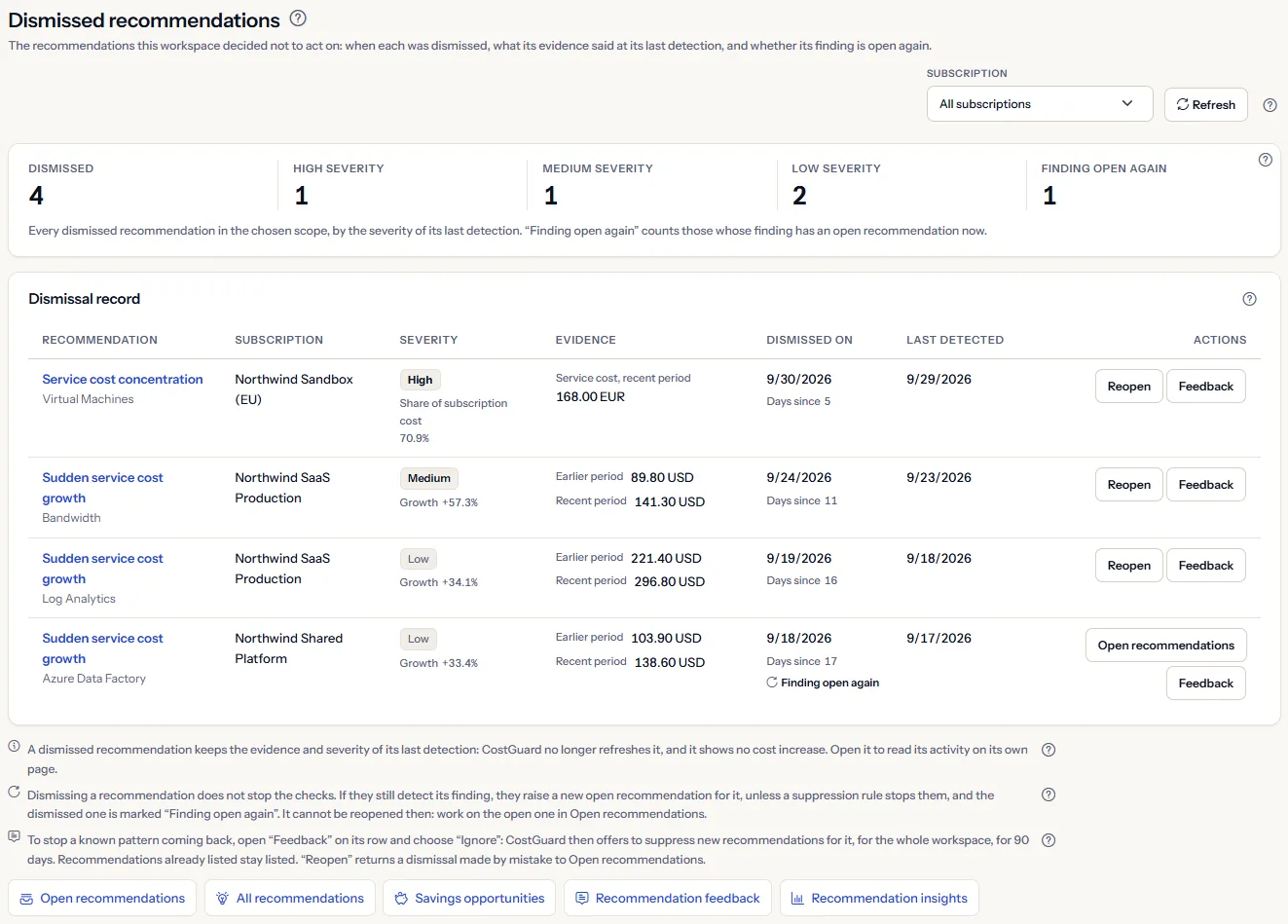
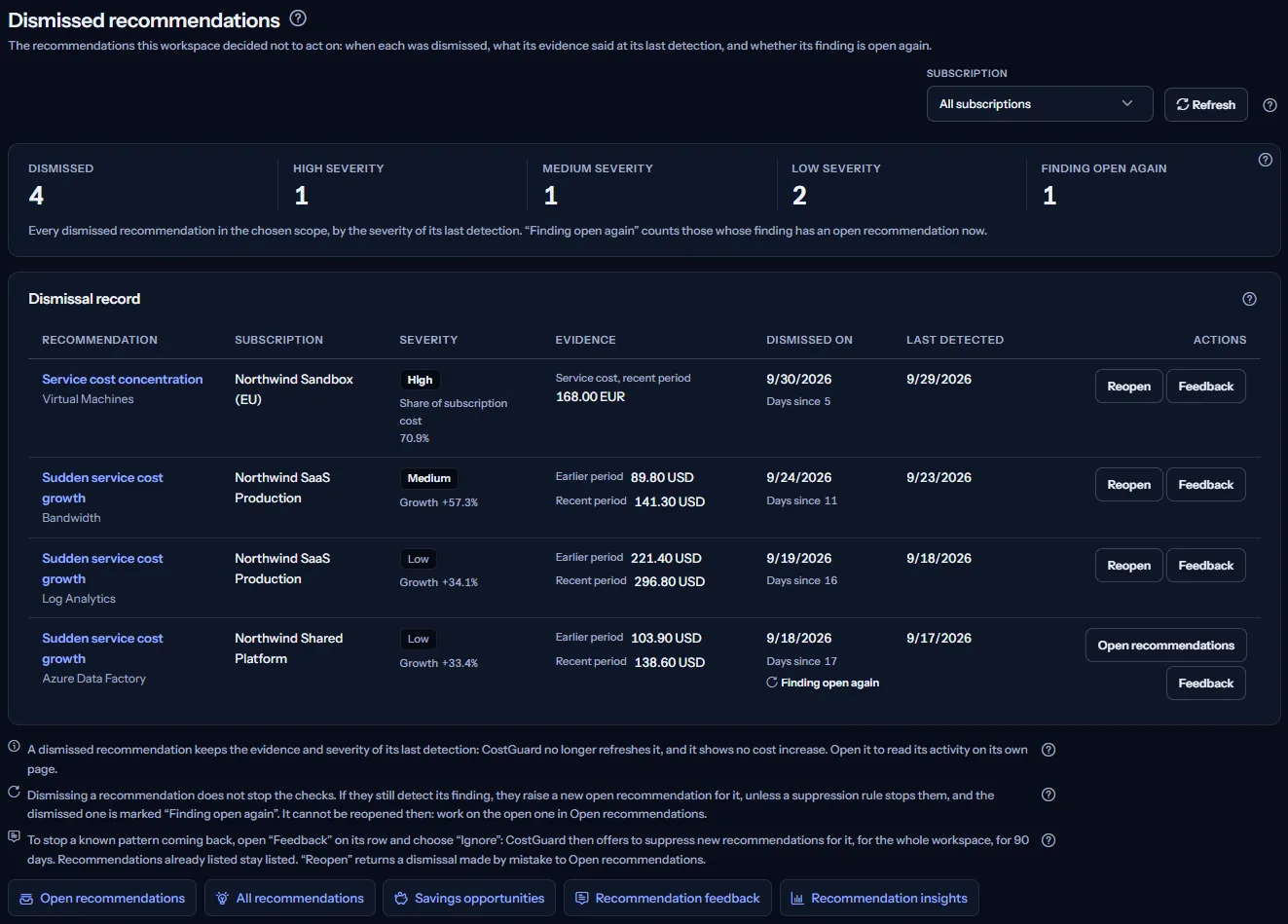
The Dismissed recommendations page answers one question: which cost signals did this workspace decide were expected or not relevant, when was each one dismissed, and is CostGuard finding any of those patterns again?
It is for the engineering lead, platform owner or FinOps lead who reviews past decisions. “Open recommendations” is the work queue and “All recommendations” the register of every status; this page lists the dismissed recommendations only, with the date of each dismissal, and leads to the decisions left: reopen a dismissal, work on a finding that is open again, or stop a known pattern.
A recommendation is a cost signal from one of CostGuard's three checks over your imported Azure cost. It is not rightsizing or reservation advice, and it does not come from Azure Advisor. CostGuard only reads your Azure data: no button on this page changes anything in Azure.
To open it, choose “Advanced” in the sidebar, then select “Dismissed” under “Recommendations”. In “Simple” mode the entry is hidden, but the page still opens from the “Dismissed recommendations” link at the bottom of “All recommendations” and “Open recommendations”.
Before you start
Recommendations are raised from the Azure cost CostGuard imports. Until a connection has imported cost, the page shows “No cost data yet” with the button “Open Getting started”, which leads to the steps for connecting Azure and the first import.
Read the Getting started guide
Recommendations are part of the Growth, Pro and Enterprise plans. On Free and Starter, CostGuard raises none, and the page shows a labelled sample instead of your data.
The page lists only what someone dismissed. You dismiss a recommendation where open recommendations are listed, for example on “Open recommendations”; from then on, this page lists it.
Choose the scope: all subscriptions or one
The “Subscription” list at the top of the page sets which recommendations the page reads: “All subscriptions”, which the page opens with, or one subscription. It is offered when there is more than one subscription to choose from.
It lists the subscriptions with recorded cost, by the name Azure records with the cost, and every other subscription that holds a recommendation. Two subscriptions with the same name are told apart by the last characters of their identifier in brackets; a subscription without a name reads “Unnamed subscription”, and one with no recorded cost reads “Subscription” followed by the end of its identifier. The page never shows a full subscription identifier.


Choosing a subscription reads the page again: the counts and the record then describe that subscription only. “Refresh” reads the recommendations and the subscription names again.
There is no date range and no currency to choose: the page lists every dismissed recommendation of the scope, however long ago it was dismissed, each in the currency Azure recorded its cost in.
The dismissed count and the findings open again
Five counts sum up the record: “Dismissed”; then “High severity”, “Medium severity” and “Low severity”, which add up to it; and “Finding open again”. They count recommendations, not money.


A severity is the one the recommendation had at its last detection before it was dismissed. “Finding open again” counts the dismissed recommendations whose finding has an open recommendation now: CostGuard is finding that pattern again.
The page reads every recommendation of the scope at once, so the counts are complete: they are not limited to the rows the record shows first.
Read the dismissal record
The “Dismissal record” panel lists the dismissed recommendations of the scope. It has no filter: every dismissed recommendation is listed.
Each row has these columns:
- “Recommendation”: the kind of recommendation and the service, as a link to the recommendation's own page.
- “Subscription”: the subscription's name, as the scope list shows it.
- “Severity”: “High”, “Medium” or “Low” at the last detection, with the figure it rests on: “Growth” for a growth check, “Share of subscription cost” for the concentration check.
- “Evidence”: the amounts the check measured at its last detection, in the currency Azure recorded them in. A dismissed recommendation shows no cost increase.
- “Dismissed on”: the date of the dismissal, and under it “Days since”, the number of calendar days in UTC from that date to the day the page was read. A row whose finding is open again is marked “Finding open again”.
- “Last detected”: the last time a check found the pattern before the dismissal. It no longer moves.
- “Actions”: “Reopen”, or “Open recommendations” when the finding is open again, and “Feedback”, which opens the feedback of the row under it.
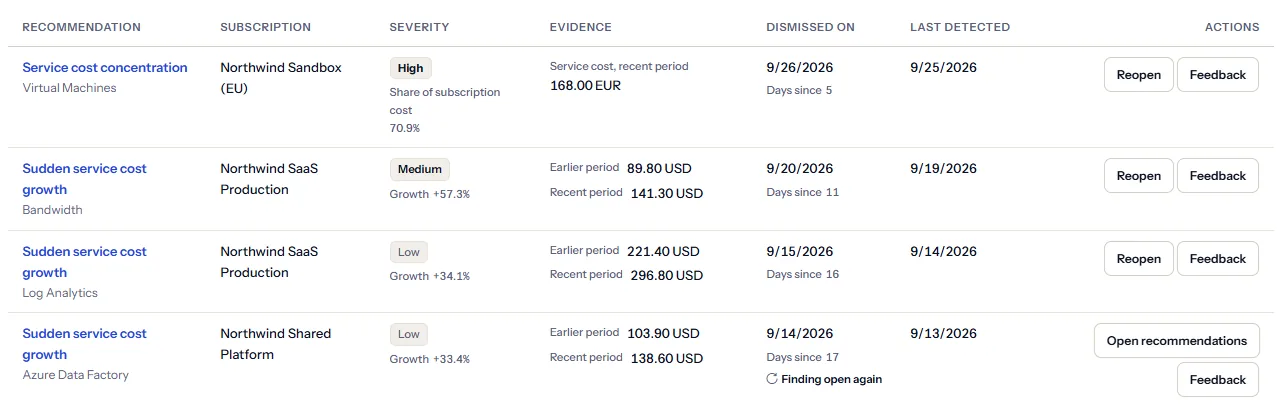
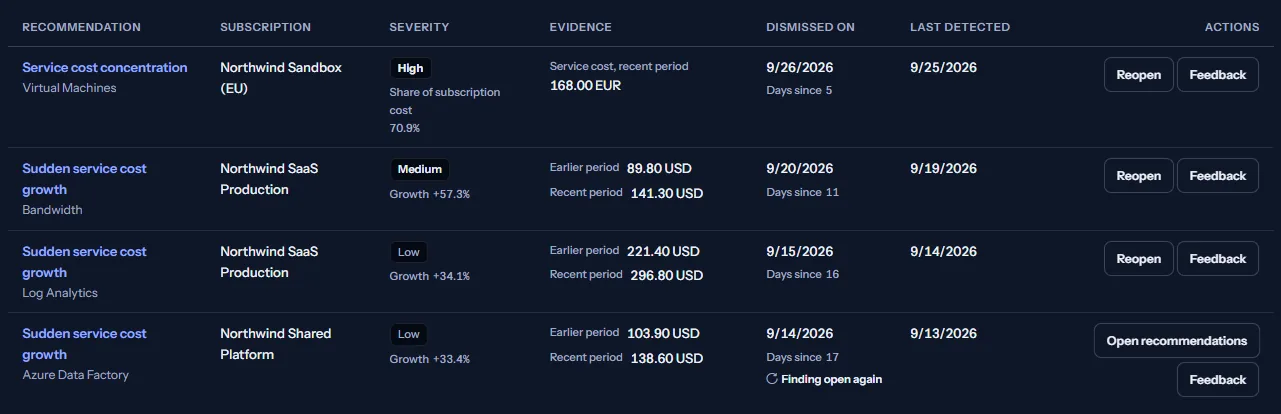
The rows are ordered by severity from high to low, then the most recently detected first, then by service name. Nothing is ranked by amount, because amounts in different currencies are never compared.
The list shows its first 25 rows; “Show all” lists the rest and “Show fewer” returns to the first 25. Dates are shown as the date in UTC.
Note
The words of each row are built from the kind of check and the service, so they read in your language. Service and subscription names stay as Azure records them.
Figures from the last detection
CostGuard no longer refreshes a dismissed recommendation. Its evidence, its severity and its “Last detected” date stay those of the last check that found the pattern before it was dismissed, whatever the cost has done since.
To see what the service costs today, look it up on “Cost by service”.
The three checks, their thresholds and the severity bands are the same for every recommendation, whatever its status. The All recommendations article explains them:
Limits to know
A dismissed recommendation shows no cost increase, and dismissing one saves nothing: it records that you decided not to act on the signal. Nothing changes in Azure.
Reopen a dismissal
“Reopen” is for a dismissal made by mistake, or one that is no longer true. The recommendation becomes open again and leaves this record: the page says “Recommendation reopened. It has left this list; Open recommendations lists it again.” and reads the record again, so the counts follow.
A reopened recommendation keeps its first detection, so on “Open recommendations” its “Open since” date is that first detection, not the reopen. It keeps the figures of its last detection until the next check that still finds the pattern updates them.
The reopen is recorded, with who made it and when, in the recommendation's “Activity”. While it runs, the button reads “Reopening...” and the other reopen buttons wait. If it cannot be made, the page says “Action failed. Please try again.” and keeps the record as it was.
When the finding is open again
Dismissing a recommendation does not stop the checks. If a later check still finds the same pattern for the same service, subscription and currency, CostGuard raises a new open recommendation for it, unless a suppression rule stops it. The dismissed one stays in this record as it was, marked “Finding open again”.
Only one recommendation per finding is open at a time, so such a row offers no “Reopen”. Its “Open recommendations” link leads to the work queue, where the open recommendation is: decide there.
If the finding opens again after the page was read, a reopen is refused and nothing is changed: the page says “This recommendation was not reopened: its finding already has an open recommendation. Nothing was changed; work on the open one instead.” and reads the record again.
Give feedback on a recommendation
“Feedback” on a row opens “Was this helpful?” under it, and selecting it again closes it. Each answer is recorded for that recommendation:
- “Useful” or “Not useful”: whether the signal helped you.
- “Expected”: the change was planned, for example a launch or a migration.
- “False positive”: the check read the cost wrongly for your case.
- “Not now”: you are not ready to judge it yet. The answer is recorded; no reminder is sent.
- “Ignore”: asks “Ignore recommendations for” - “This recommendation type”, “This service” or “This subscription” - and records your choice.
- No answer changes the status of the recommendation: it stays dismissed until you reopen it.


A dismissal is often the moment to say why: “Expected” records that the change was planned, and “Ignore” leads to stopping the pattern, described next.
Stop a known pattern from coming back
After you choose what to ignore, the row offers a second, separate decision: whether to stop new recommendations for that scope from being raised. Nothing is suppressed unless you choose “Suppress these”; “No thanks” keeps only the answer.
A suppression rule applies to the whole workspace for 90 days: the checks raise no new recommendation of that kind, for that service or in that subscription until then. The row says until when, and “Manage suppression rules” opens “Recommendation feedback”, where you can see the rules and end one early.
A suppression rule changes nothing in this record: the dismissed recommendations stay listed, and an open recommendation it covers stays open. It only stops the checks from raising new ones.
Open a recommendation
The kind and the service of each row link to the recommendation's own page. There you find “What CostGuard observed”; “Your assessment”, where you state what CostGuard cannot know, such as how hard or risky a change would be; the recommendation's “Activity”; and “Add a comment”.
Each dismissal is recorded there under “Activity”: who dismissed the recommendation, as “dismissed this”, and when. CostGuard records no reason with a dismissal; to keep one, write it under “Add a comment”.
Go further
The links at the bottom of the page lead on:
- “Open recommendations”: the work queue, where a reopened recommendation and a finding that is open again are.
- “All recommendations”: every recommendation in every status, the decided ones included, where a closed one can be reopened.
- “Savings opportunities”: the open growth recommendations that carry a cost increase, ranked within each currency.
- “Recommendation feedback”: how feedback works, and the suppression rules that stop a known pattern from coming back.
- “Recommendation insights”: how the recommendations of the workspace break down.
What you may see instead of the record
While the page reads, grey bars stand where the counts and the record will appear. After that, the page may show one of these instead:
- “No cost data yet”, with “Open Getting started”: no connection has imported cost yet.
- “No dismissed recommendations”, with “Go to Open recommendations”: nothing in the workspace is dismissed now. This says nothing about how efficient your cost is; what still needs a decision is in the work queue.
- “No dismissed recommendations for this subscription”: nothing in the chosen subscription was dismissed. Choose “All subscriptions” to see the rest of the workspace.
- “Unable to load recommendations. Please try again.”, with “Retry”: the recommendations could not be read. The page then shows no record and no count, because a failed read does not mean nothing was dismissed.
- A notice that your session has expired, with a link to sign in again. The page shows no figures until you do.
- A note that subscription names could not be read: each subscription is then shown by the end of its identifier. The recommendations are still listed, and “Refresh” tries again.
Sample data when your plan has no recommendations
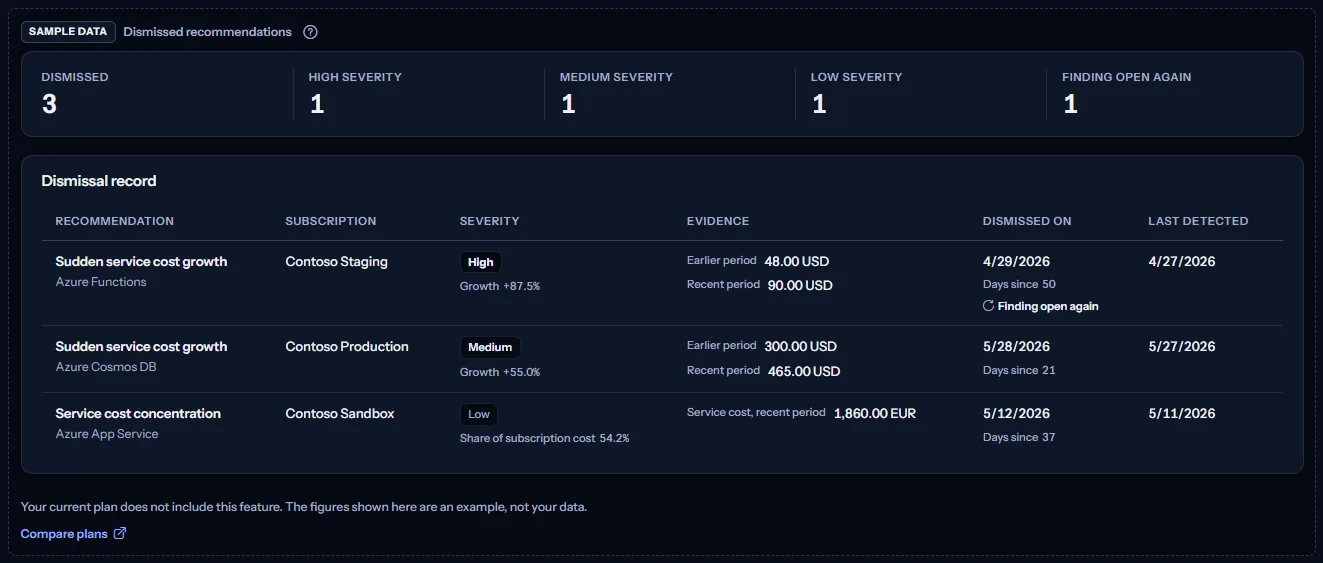
When your plan does not include recommendations, the page shows a fixed example under the label “Sample data”, with the sentence “Your current plan does not include this feature. The figures shown here are an example, not your data.”
The sample shows three dismissed recommendations of three Contoso subscriptions from April and May 2026, in US dollars and in euros - one of each severity, one of them with its finding open again - with their counts. The rows are the same for everyone and never your data, and the sample offers no link and no action.
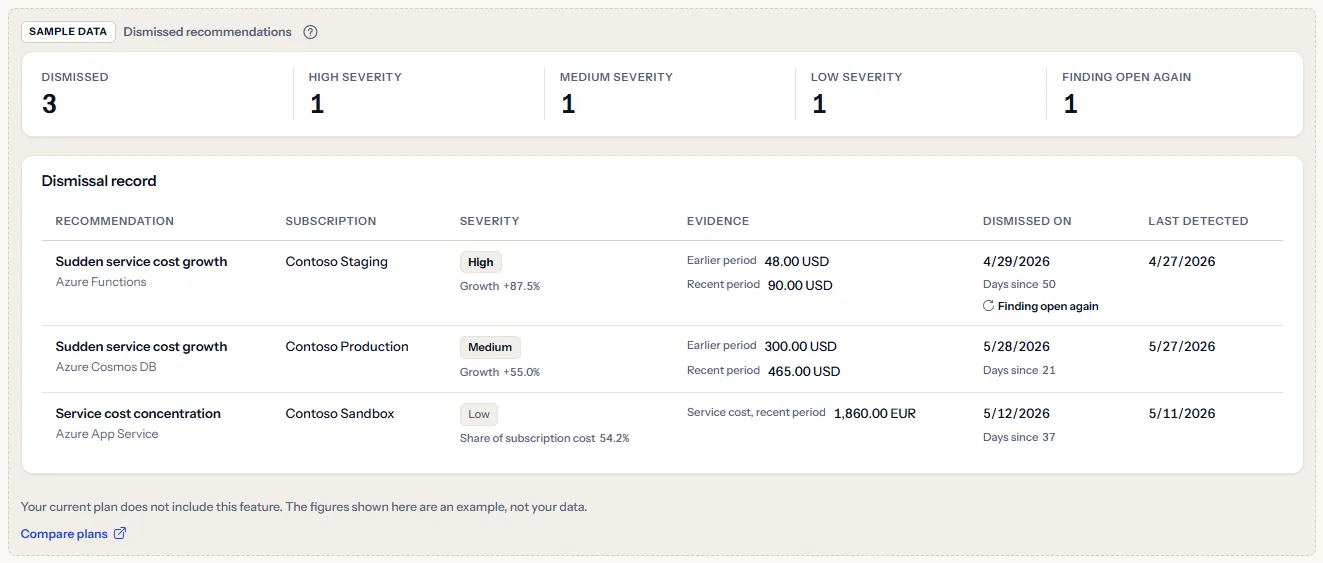
“Compare plans” opens the pricing page in a new tab. CostGuard decides what your plan includes on the server; the sample is only how the page shows it.
What each plan includes
The table shows the first plan that includes each part of the page. Every plan above it includes it too.
| Feature | Free | Starter | Growth | Pro | Enterprise |
|---|---|---|---|---|---|
| A labelled sample of the page | Included | Included | Included | Included | Included |
| The record of your workspace's dismissed recommendations, with reopen and feedback | Not included | Not included | Included | Included | Included |
Growth, Pro and Enterprise include recommendations: CostGuard's checks run for the workspace, and the page lists what they raise. Free and Starter show the labelled sample, and no recommendation is raised for them. The plan is checked on the server, and the page never shows a price.
Troubleshooting
The page says “No cost data yet”
No connection has imported cost yet, or its first import has not finished. Open Getting started and follow the steps; the checks run once cost is recorded.
The page says “No dismissed recommendations”
No recommendation of the workspace is dismissed now: none has been dismissed yet, or every dismissal was reopened. “Open recommendations” lists what still needs a decision.
A row offers no “Reopen”
Its finding has an open recommendation again, so it is marked “Finding open again” and a reopen would be refused. Work on the open recommendation; the row's “Open recommendations” link leads there.
A recommendation I dismissed is in the work queue again
A later check found the same pattern and raised a new open recommendation, with a new “Open since” date; the dismissed one stays here, marked “Finding open again”. To stop the pattern from coming back, choose “Ignore” in its feedback and confirm the suppression.
I want to know who dismissed a recommendation, and why
Open the recommendation: its “Activity” shows who dismissed it and when. No reason is recorded with a dismissal, unless someone wrote one as a comment.
A recommendation I reopened is marked “Not detected in the last 7 days”
It kept the figures and the last detection it had when it was dismissed. If a check still finds the pattern, it updates them and the mark goes; if not, the mark stays until you resolve or dismiss the recommendation.
The page shows sample data
Your plan does not include recommendations. The table above shows which plan does, and the link under it opens the pricing page.